Traverse City Web Design has spent years designing, building, and managing websites for Michigan cities, townships, museums, libraries, and public institutions — as well as hundreds of small businesses across Northern Michigan and beyond.
Across all of these projects, one thing has become clear: accessibility is not a niche requirement. It is a core part of what makes a website successful.
An accessible website reaches more people. It creates a better experience for every visitor. It reduces friction, increases engagement, and — whether you’re a municipality serving residents or a business serving customers — it leads to more completed actions, more inquiries, and more growth.
Today, accessibility is also part of a rapidly evolving legal and regulatory landscape. Standards like WCAG 2.1 Level AA, the Americans with Disabilities Act (ADA), and emerging state and federal expectations are shaping how public and private websites must operate. For government and institutional websites in particular, accessibility is no longer optional — it is expected.
But beyond compliance, accessibility is simply good design. It’s about building websites that work clearly, consistently, and reliably for everyone who uses them.
That’s the approach we take on every project.
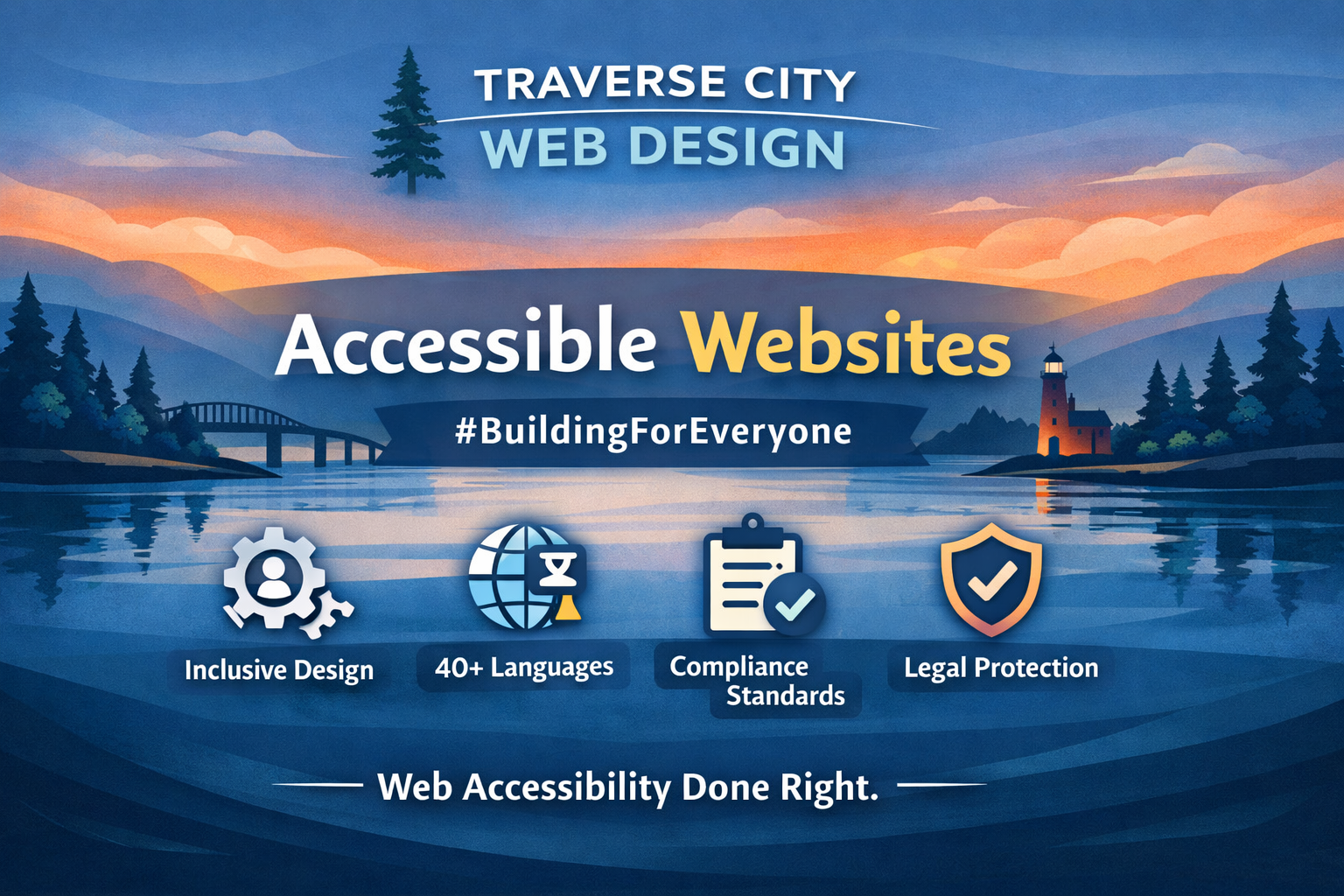
A practical framework for municipal, government, and institutional websites.
At Traverse City Web Design, we don’t treat accessibility as an add-on, a checkbox, or a late-stage fix. We treat it as city and governmental infrastructure.
For municipal, government, and institutional websites — especially those serving the public — accessibility is foundational. It affects how residents pay bills, access documents, attend meetings, submit forms, and receive critical information.
If a website doesn’t work for everyone, it doesn’t work.
Accessible Websites as Public Infrastructure
A municipal website is a lot of things, but it is not a marketing tool. It is a 24/7 public service system — a front desk, a records archive, a communications platform, and an emergency notification system.
Residents rely on it for everyday tasks — paying bills, downloading forms, checking meeting times, reading ordinances, or reporting issues in their community. In many cases, the website is the first — and sometimes only — point of contact someone has with their local government.
That means it must work consistently and without friction. It needs to be fast, clear, and reliable for everyone who uses it, regardless of device or ability.
It must work on phones in low-signal areas, on older devices, with screen readers and assistive technologies, without a mouse, and under real-world conditions — when someone is stressed, in a hurry, or trying to find critical information quickly.
It also needs to work for a wide range of users, including residents who may not be technically experienced, those with visual or cognitive challenges, and those accessing the site in less-than-ideal environments.
Accessibility, in this context, is not just a technical requirement. It becomes a matter of public trust.
When a municipal website is clear, usable, and inclusive, it builds confidence in the institution behind it. When it is confusing or difficult to use, that trust begins to erode.
That is why accessibility is not something that can be layered on later. It has to be built into the foundation of the website from the very beginning.
Our Core Philosophy
Our approach to accessibility is built on three layers — each one reinforcing the others and contributing to a complete, usable system.
1. Structural Accessibility Built Into the Site
This is the foundation of everything we build — and in many ways, this is the true design work behind web design.
When most people think of design, they think of colors, fonts, and layout. Those are important, but they sit on top of something much deeper. Real design is structure — how information is organized, how content flows, and how easily someone can understand and use a website.
Structural accessibility includes proper heading hierarchy, semantic HTML, logical navigation paths, clean layouts, and clearly labeled forms with helpful error handling.
It’s about creating a system where everything has a clear place and a clear purpose.
This is what allows screen readers to interpret content correctly. It makes keyboard navigation possible. It allows users to scan quickly and understand where they are and what to do next.
This benefits every user — not just those using assistive technology.
This layer of design is often invisible, but users feel it immediately in how smooth and intuitive the experience is.
If this foundation is weak, no amount of visual polish can fix it. When it is strong, everything else improves — accessibility tools, SEO, performance, and usability.
This cannot be added later. It must be built correctly from the start.
2. Performance and Clarity
Accessibility is not just about compliance. It is about usability.
A website can meet technical standards and still be difficult to use. If it loads slowly, feels cluttered, or forces users to think too hard about what to do next, it creates barriers — whether those barriers are labeled as “accessibility issues” or not.
We approach accessibility through performance and clarity first. That means fast load times, lightweight pages, high-contrast readability, clear language, and task-based navigation that reflects how real people use a website.
We reduce cognitive load wherever possible. Content is structured so it can be scanned quickly. Key actions are easy to find. Important information is not buried or hidden behind unnecessary layers.
This is especially important for municipal and institutional websites, where users are often trying to complete a task under time pressure — pay a bill, find a form, check an alert, or access a document.
Performance plays a critical role in accessibility. A site that struggles on mobile networks, older devices, or slower connections effectively excludes part of its audience. A slow or confusing website is, functionally, inaccessible. When performance and clarity are prioritized, everything improves — usability, accessibility, engagement, and overall trust.
3. User-Controlled Accessibility Enhancements
On top of a strong structural foundation, we implement a robust set of user-facing accessibility tools that allow visitors to customize their experience in real time.
Instead of forcing every visitor into a fixed experience, users can adapt the site to their needs — adjusting text size, contrast, color settings, navigation style, and reading behavior.
This gives control directly to the user — allowing them to interact with the website in a way that feels comfortable, clear, and usable. Accessibility is not one-size-fits-all. Different users need different things, and a well-built site should respond to those needs. It also shows care. It signals that your website is built for everyone — not just the average user.
When done correctly, these tools feel seamless. They support the experience without getting in the way. At its core, accessibility is about making people feel capable, confident, and supported when they use your website.
Real-Time Accessibility Tools for Every Visitor
We provide an integrated accessibility interface that allows users to adjust how the website behaves based on their needs.
Visual Adjustments
Visitors can modify how content is displayed in ways that make the site easier to read and navigate.
- Increase or decrease text size
- Adjust contrast and color schemes
- Apply visual filters for readability
- Enhance focus states for easier navigation
These adjustments are especially important for users with low vision or color sensitivity.
Reading and Focus Tools
We support users who need help processing content through tools that improve concentration and readability.
- Distraction-reduction modes for focused reading
- Reading guides and highlighting tools
- Typography adjustments for improved legibility
These features help users with cognitive differences, ADHD, or dyslexia navigate content more comfortably.
Keyboard Navigation
Full keyboard navigation is enabled so users can move through the website without relying on a mouse.
- Navigate menus and pages without a mouse
- Clearly see where focus is on the page
- Move efficiently through interactive elements
This is essential for users with mobility limitations.
Text-to-Speech Functionality
Visitors can listen to website content instead of reading it.
This supports users with visual impairments, users with reading difficulties, and users who prefer auditory processing. Content becomes accessible in a different modality, not just visually.
Accessibility Profiles
We provide preset accessibility modes that instantly adapt the website for different needs, such as vision-impaired users, focus-based browsing environments, and reduced motion or distraction settings.
Instead of adjusting multiple settings manually, users can activate a profile that fits their needs immediately.
Multilingual Accessibility Support
Accessibility also includes language.
Language can be just as much of a barrier as visual or physical limitations. If someone cannot understand your content, your website is not fully accessible.
We provide multilingual accessibility as an additional layer of support — allowing content to be translated into 40+ languages instantly.
This is especially important for municipalities serving diverse or seasonal populations.
It ensures that essential information — services, alerts, forms, and public notices — can be understood by as many people as possible.
At its core, language accessibility is about inclusion — making sure everyone has a fair opportunity to engage and take action.
Accessibility Compliance and Standards
Our work aligns with widely recognized accessibility standards, including WCAG 2.1 Level AA, the ADA (Americans with Disabilities Act), and EN 301 549. These standards may sound technical, but at their core, they all serve the same purpose: making sure websites are usable by everyone, regardless of ability.
WCAG 2.1 Level AA (Web Content Accessibility Guidelines) is the most widely accepted global standard for web accessibility. It provides a clear set of guidelines for how websites should be structured and designed — covering things like readable text, proper color contrast, keyboard navigation, and compatibility with screen readers. “Level AA” is the standard most organizations aim for, balancing strong accessibility with practical implementation.
The ADA (Americans with Disabilities Act) is a U.S. law that prohibits discrimination against individuals with disabilities. While it was originally focused on physical spaces, it now extends to digital experiences, including websites. In practical terms, this means your website should be accessible to users with visual, auditory, motor, or cognitive impairments.
EN 301 549 is a European accessibility standard that applies to public sector websites and digital services. It closely mirrors WCAG guidelines but is specifically used for government and institutional compliance across the European Union.
Together, these standards create a shared framework for what an accessible website should be. They guide how content is structured, how users navigate, and how information is presented — ensuring that no one is excluded from using your website. For our clients, aligning with these standards means more than compliance. It means building websites that are clear, inclusive, and usable for everyone who visits.
Accessibility Statements and Transparency
Every accessible website should clearly communicate its commitment. An accessibility statement is more than just a formality — it is a public-facing document that explains how your website is designed to be inclusive, what standards it aligns with, and what users can expect when they interact with it.
We implement accessibility statements that are easy to find, easy to read, and written in plain language. These statements are typically published as a dedicated page on the website, giving users a clear place to understand your approach and your ongoing commitment to accessibility.
As part of this process, we also ensure that core policy pages — including privacy policies — are present, clearly written, and accessible. For many municipalities and organizations, this means adding a dedicated privacy statement page that outlines how user data is handled, what information is collected, and how it is used.
These pages are an important part of transparency. They help build trust with users by clearly communicating both accessibility practices and data practices in a way that is open and easy to understand.
We also support ongoing updates to these statements as the website evolves. Accessibility is not static — as content changes and new features are added, the documentation should reflect that.
For municipalities, government entities, and institutions in particular, this level of transparency demonstrates good-faith compliance and a genuine commitment to serving the public. Ultimately, these pages do more than meet expectations — they reinforce that your website is built with care, responsibility, and respect for every user who visits it.
Reducing Legal Risk and Building Better Systems
Accessibility is increasingly tied to legal exposure — especially for public entities. Federal laws like the Americans with Disabilities Act (ADA), along with state-level policies and evolving Department of Justice guidance, are making it clear that websites are considered part of the services an organization provides. If those services are not accessible, it can be viewed as a form of discrimination.
For municipalities, government agencies, and public institutions, this risk is even more pronounced. These websites are expected to meet recognized accessibility standards and provide equal access to information, services, and participation. In recent years, there has been a steady increase in accessibility-related complaints and lawsuits — often triggered by issues like unreadable PDFs, inaccessible forms, poor contrast, missing navigation structure, or websites that cannot be used without a mouse.
Many of these issues are not intentional. They are the result of websites that were never built with accessibility in mind, or that have not been maintained as standards and expectations have evolved.
Reducing this risk is not about a single fix or a one-time update. It requires a thoughtful, ongoing approach. That includes building a properly structured website from the start, ensuring content is readable and navigable, maintaining accessible documents and forms, providing clear accessibility and privacy statements, and establishing a process for reviewing and updating content over time.
It also means documenting your efforts. Having an accessibility statement, a defined approach, and a clear plan for ongoing improvements demonstrates good-faith compliance — which matters if questions ever arise. Our approach is designed to help reduce compliance risk, align with state and federal expectations, and create a clear, documented framework for accessibility.
But more importantly, it improves service for residents. When a website is accessible, it is easier to use for everyone. It reduces confusion, eliminates barriers, and allows people to complete tasks quickly and independently.
A Practical Approach for Municipal and Institutional Clients
- Audit the current site and content
- Identify high-impact accessibility gaps
- Improve global templates and structure
- Implement real-time accessibility tools
- Address documents and forms
- Establish a long-term maintenance plan
This turns accessibility into a manageable, ongoing system.
The End Goal: A Website That Works for Everyone
At its core, accessibility is simple. Can every resident use your website without friction? Can they find what they need, understand it, and act on it — quickly, clearly, and without barriers? If the answer is yes, the website is doing its job. That is the standard we build toward. Everything we’ve outlined — structural accessibility, performance and clarity, user-controlled tools, language support, compliance standards, and transparent documentation — works together to support that goal.
None of these elements exist in isolation. They form a system — one that is designed to serve real people in real situations, whether they are paying a bill, accessing a document, attending a meeting, or responding to an urgent alert. For municipal and institutional websites, accessibility is not a feature. It is a responsibility. These websites are public-facing systems that people rely on every day — often under time pressure, often on mobile devices, and often with very specific needs.
At Traverse City Web Design, we build websites that reflect that responsibility — quietly, consistently, and with intention. Because we believe that when a website works for everyone, it does more than meet a standard. It serves its community the way it was meant to.